
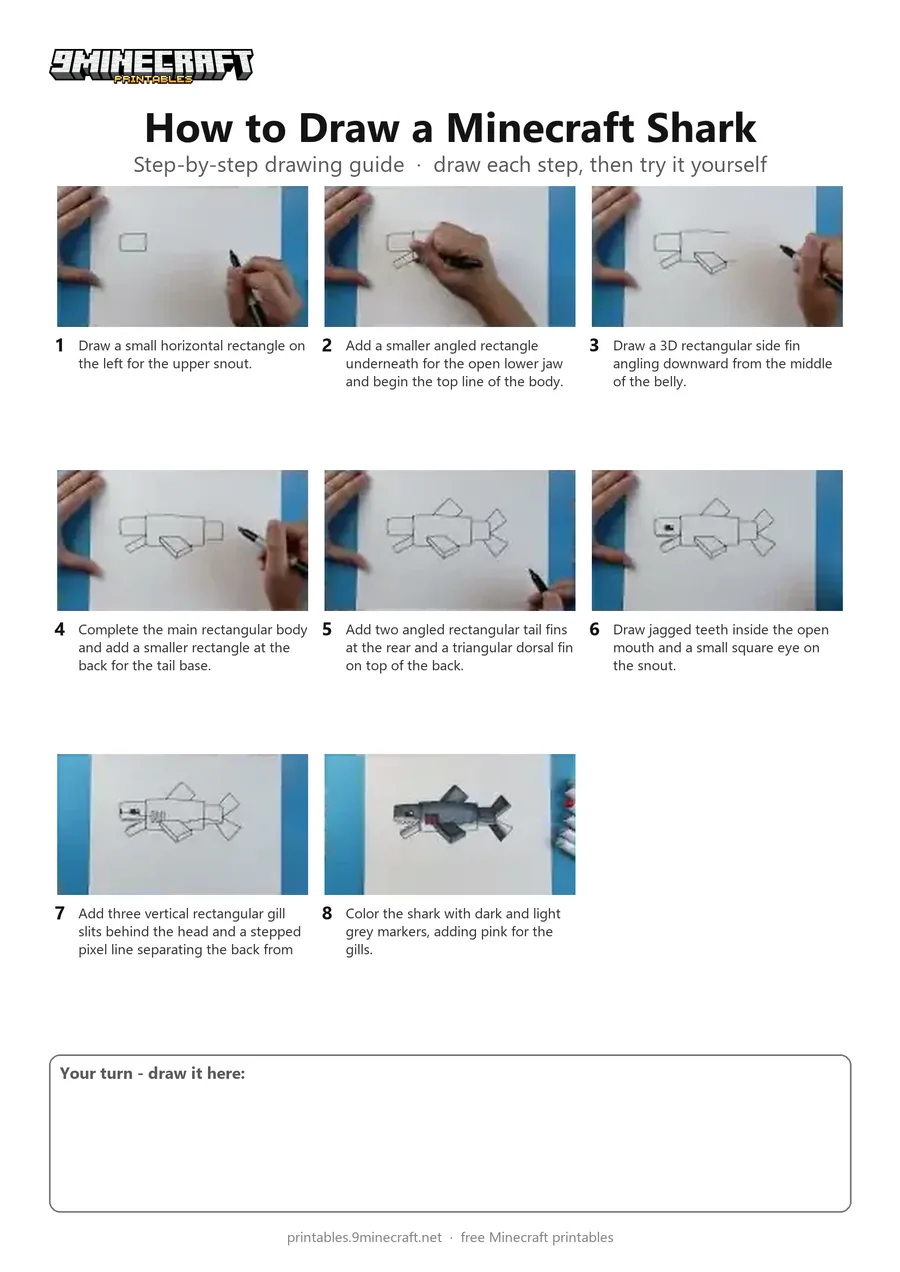
Learn how to draw a blocky Minecraft-style shark swimming from the side. The tutorial uses simple geometric rectangles for the body, fins, and open jaw before adding pixel details and coloring it grey. Free printable PDF for A4 and US Letter paper.
Print at 100% scale (“Actual size”). Plain printer paper works fine; crayons, colored pencils or markers all work.
 Draw a small horizontal rectangle on the left for the upper snout.
 Add a smaller angled rectangle underneath for the open lower jaw and begin the top line of the body.
 Draw a 3D rectangular side fin angling downward from the middle of the belly.
 Complete the main rectangular body and add a smaller rectangle at the back for the tail base.
 Add two angled rectangular tail fins at the rear and a triangular dorsal fin on top of the back.
 Draw jagged teeth inside the open mouth and a small square eye on the snout.
 Add three vertical rectangular gill slits behind the head and a stepped pixel line separating the back from the belly.
 Color the shark with dark and light grey markers, adding pink for the gills.
You need: paper, black marker, colored markers.
Video by Art Land on YouTube.
 More How to Draw
 PDFHow to Draw Minecraft an AllayPixel style · Ages 7-9
 PDFHow to Draw a Minecraft BeePixel style · Ages 7-9
 PDFHow to Draw a Minecraft CatPixel style · Ages 7-9
 PDFHow to Draw a Minecraft Chicken (Design 2)Pixel style · Ages 7-9
 PDFHow to Draw a Minecraft CowPixel style · Ages 7-9
 PDFHow to Draw a Minecraft Creeper FacePixel style · Ages 7-9
 PDFHow to Draw a Minecraft Creeper (Design 6)Pixel style · Ages 7-9
 PDFHow to Draw a Minecraft Diamond AxePixel style · Ages 7-9
 PDFHow to Draw a Minecraft Diamond Axe (Design 2)Pixel style · Ages 7-9
 PDFHow to Draw a Minecraft Diamond Axe (Design 3)Pixel style · Ages 7-9
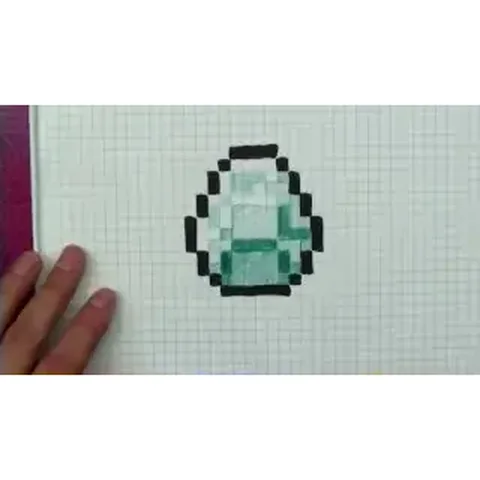 PDFHow to Draw a Minecraft DiamondPixel style · Ages 7-9
 PDFHow to Draw a Minecraft Diamond PickaxePixel style · Ages 7-9