
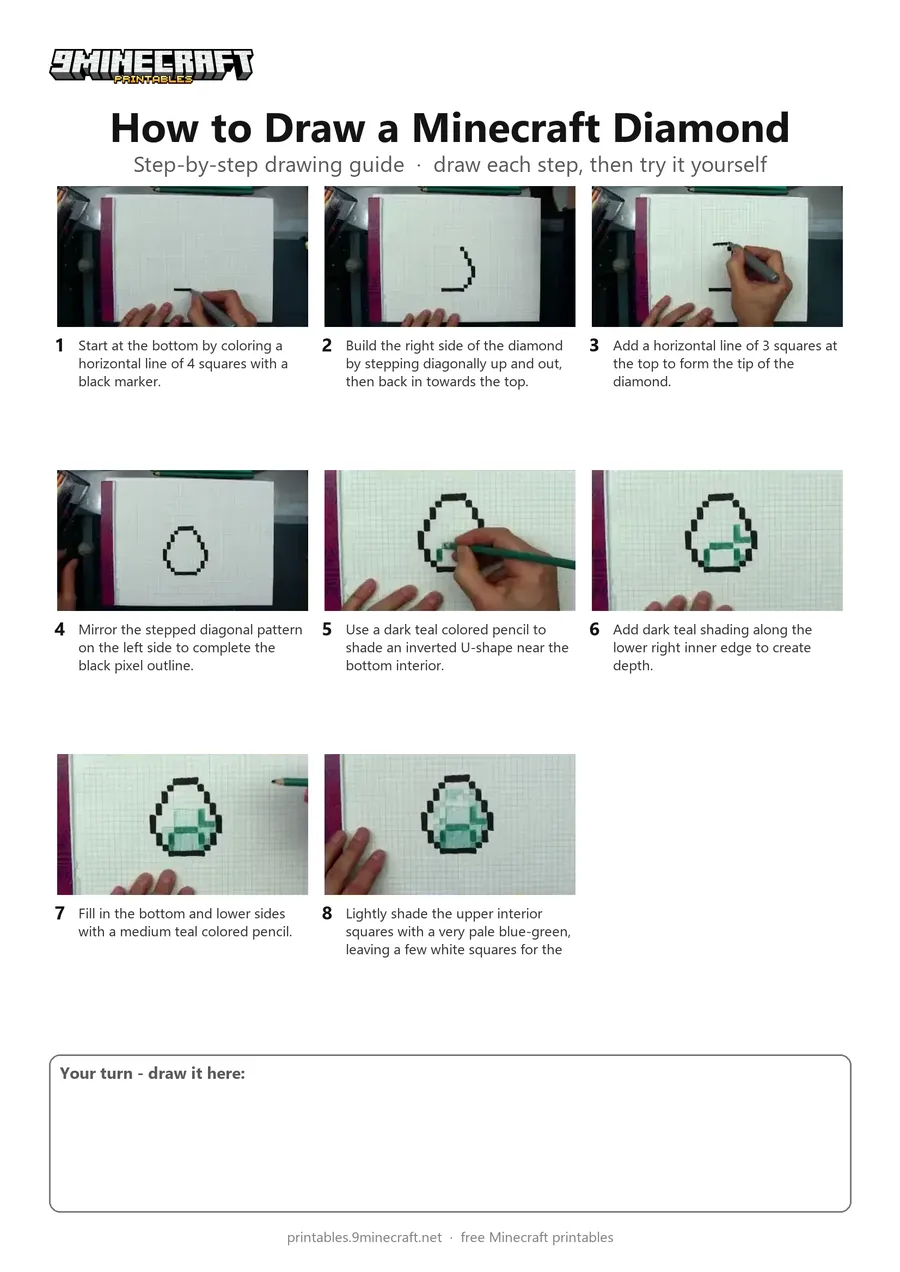
This tutorial shows how to draw a pixel-perfect Minecraft diamond on grid paper. Using a black marker for the blocky outline and colored pencils for shading, you can easily recreate this iconic item. Free printable PDF for A4 and US Letter paper.
Print at 100% scale (“Actual size”). Plain printer paper works fine; crayons, colored pencils or markers all work.
 Start at the bottom by coloring a horizontal line of 4 squares with a black marker.
 Build the right side of the diamond by stepping diagonally up and out, then back in towards the top.
 Add a horizontal line of 3 squares at the top to form the tip of the diamond.
 Mirror the stepped diagonal pattern on the left side to complete the black pixel outline.
 Use a dark teal colored pencil to shade an inverted U-shape near the bottom interior.
 Add dark teal shading along the lower right inner edge to create depth.
 Fill in the bottom and lower sides with a medium teal colored pencil.
 Lightly shade the upper interior squares with a very pale blue-green, leaving a few white squares for the shine.
You need: grid paper, black marker, colored pencils.
Video by DKD Art Studio on YouTube.
 More How to Draw
 PDFHow to Draw Minecraft an AllayPixel style · Ages 7-9
 PDFHow to Draw a Minecraft BeePixel style · Ages 7-9
 PDFHow to Draw a Minecraft CatPixel style · Ages 7-9
 PDFHow to Draw a Minecraft CowPixel style · Ages 7-9
 PDFHow to Draw a Minecraft Creeper FacePixel style · Ages 7-9
 PDFHow to Draw a Minecraft Creeper (Design 6)Pixel style · Ages 7-9
 PDFHow to Draw a Minecraft Diamond PickaxePixel style · Ages 7-9
 PDFHow to Draw a Minecraft Diamond SwordPixel style · Ages 7-9
 PDFHow to Draw a Minecraft Diamond Sword (Design 2)Pixel style · Ages 7-9
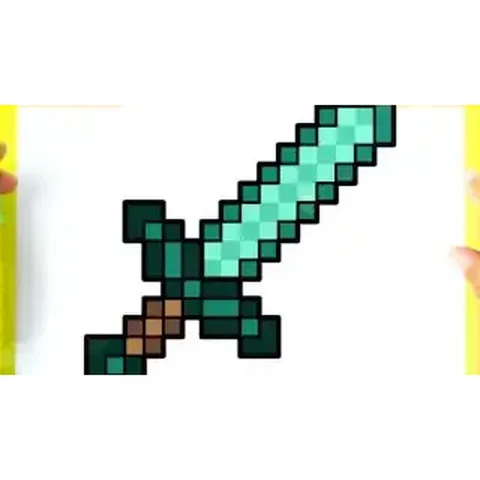 PDFHow to Draw a Minecraft Diamond Sword (Design 3)Pixel style · Ages 7-9
 PDFHow to Draw Minecraft Entity 303Pixel style · Ages 7-9
 PDFHow to Draw a Minecraft FoxPixel style · Ages 7-9