
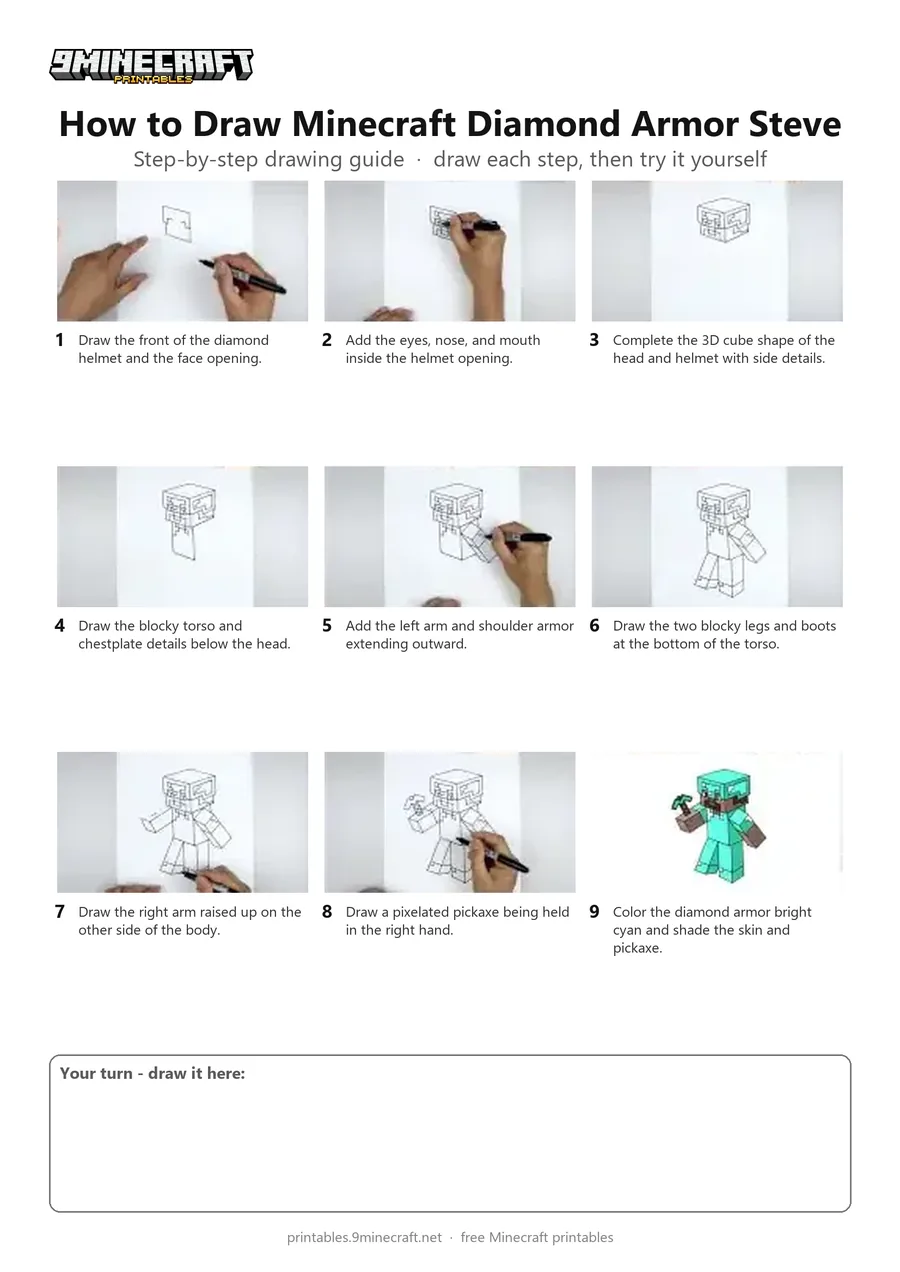
Learn how to draw Minecraft's Steve wearing a full set of diamond armor and holding a pickaxe in 3D blocky style. Follow the clear marker lines step by step from the helmet down to the boots and finish by coloring the armor cyan. Free printable PDF for A4 and US Letter paper.
Print at 100% scale (“Actual size”). Plain printer paper works fine; crayons, colored pencils or markers all work.
 Draw the front of the diamond helmet and the face opening.
 Add the eyes, nose, and mouth inside the helmet opening.
 Complete the 3D cube shape of the head and helmet with side details.
 Draw the blocky torso and chestplate details below the head.
 Add the left arm and shoulder armor extending outward.
 Draw the two blocky legs and boots at the bottom of the torso.
 Draw the right arm raised up on the other side of the body.
 Draw a pixelated pickaxe being held in the right hand.
 Color the diamond armor bright cyan and shade the skin and pickaxe.
You need: paper, black marker, colored markers.
Video by Cartooning Club How to Draw on YouTube.
 More How to Draw
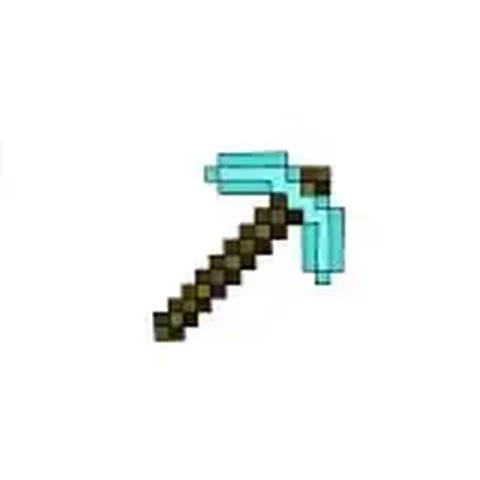 PDFHow to Draw a Minecraft PickaxePixel style · Ages 7-9
 PDFHow to Draw a Minecraft AxolotlPixel style · Ages 7-9
 PDFHow to Draw a Minecraft Bee (Design 3)Pixel style · Ages 7-9
 PDFHow to Draw a Minecraft ChickenPixel style · Ages 7-9
 PDFHow to Draw a Minecraft Diamond (Design 2)Pixel style · Ages 7-9
 PDFHow to Draw a Minecraft Diamond (Design 3)Pixel style · Ages 7-9
 PDFHow to Draw a Minecraft Diamond Sword (Design 4)Pixel style · Ages 7-9
 PDFHow to Draw a Minecraft Diamond Sword (Design 5)Pixel style · Ages 7-9
 PDFHow to Draw a Minecraft Frog Eating a Magma CubePixel style · Ages 7-9
 PDFHow to Draw a Minecraft Ghast (Design 2)Pixel style · Ages 7-9
 PDFHow to Draw Herobrine from Minecraft (Design 2)Pixel style · Ages 7-9
 PDFHow to Draw Minecraft an Iron Golem (Design 2)Pixel style · Ages 7-9