
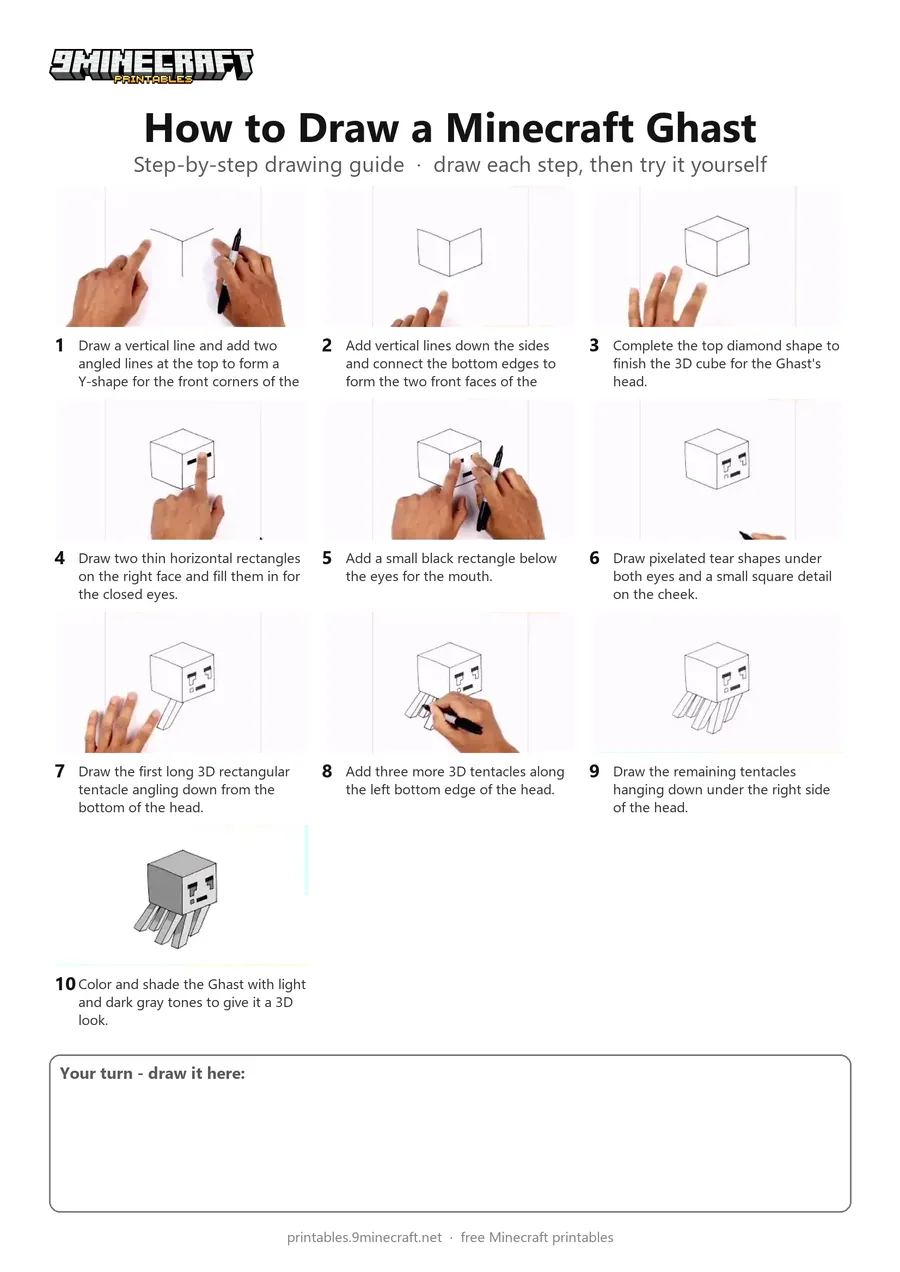
Learn how to draw a 3D Minecraft Ghast floating in the air with its signature sad face and hanging tentacles. This tutorial breaks down the isometric cube head and blocky legs into simple straight lines. Free printable PDF for A4 and US Letter paper.
Print at 100% scale (“Actual size”). Plain printer paper works fine; crayons, colored pencils or markers all work.
 Draw a vertical line and add two angled lines at the top to form a Y-shape for the front corners of the cube.
 Add vertical lines down the sides and connect the bottom edges to form the two front faces of the head.
 Complete the top diamond shape to finish the 3D cube for the Ghast's head.
 Draw two thin horizontal rectangles on the right face and fill them in for the closed eyes.
 Add a small black rectangle below the eyes for the mouth.
 Draw pixelated tear shapes under both eyes and a small square detail on the cheek.
 Draw the first long 3D rectangular tentacle angling down from the bottom of the head.
 Add three more 3D tentacles along the left bottom edge of the head.
 Draw the remaining tentacles hanging down under the right side of the head.
 Color and shade the Ghast with light and dark gray tones to give it a 3D look.
You need: paper, black marker, gray markers.
Video by Cartooning Club How to Draw on YouTube.
 More How to Draw
 PDFHow to Draw a Minecraft Frog Eating a Magma CubePixel style · Ages 7-9
 PDFHow to Draw a Minecraft GhastPixel style · Ages 7-9
 PDFHow to Draw a Minecraft OcelotPixel style · Ages 7-9
 PDFHow to Draw a Minecraft Panda Eating CakePixel style · Ages 7-9
 PDFHow to Draw a Minecraft ParrotPixel style · Ages 7-9
 PDFHow to Draw a Minecraft PickaxePixel style · Ages 7-9
 PDFHow to Draw a Minecraft SpiderPixel style · Ages 7-9
 PDFHow to Draw a Minecraft SwordPixel style · Ages 7-9
 PDFHow to Draw Minecraft the WardenPixel style · Ages 7-9
 PDFHow to Draw Minecraft the Warden (Design 2)Pixel style · Ages 7-9
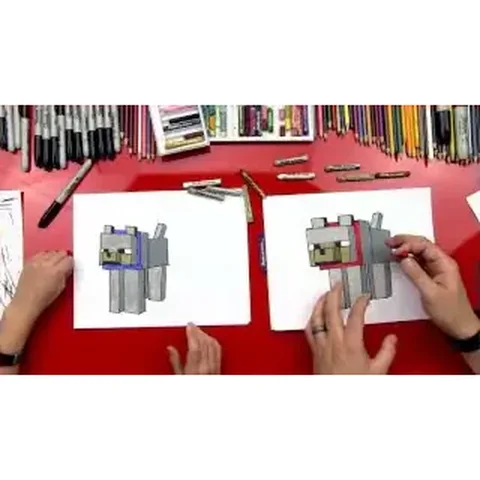 PDFHow to Draw a Minecraft Wolf (Dog)Pixel style · Ages 7-9
 PDFHow to Draw a Minecraft Zombie (Design 3)Pixel style · Ages 7-9