
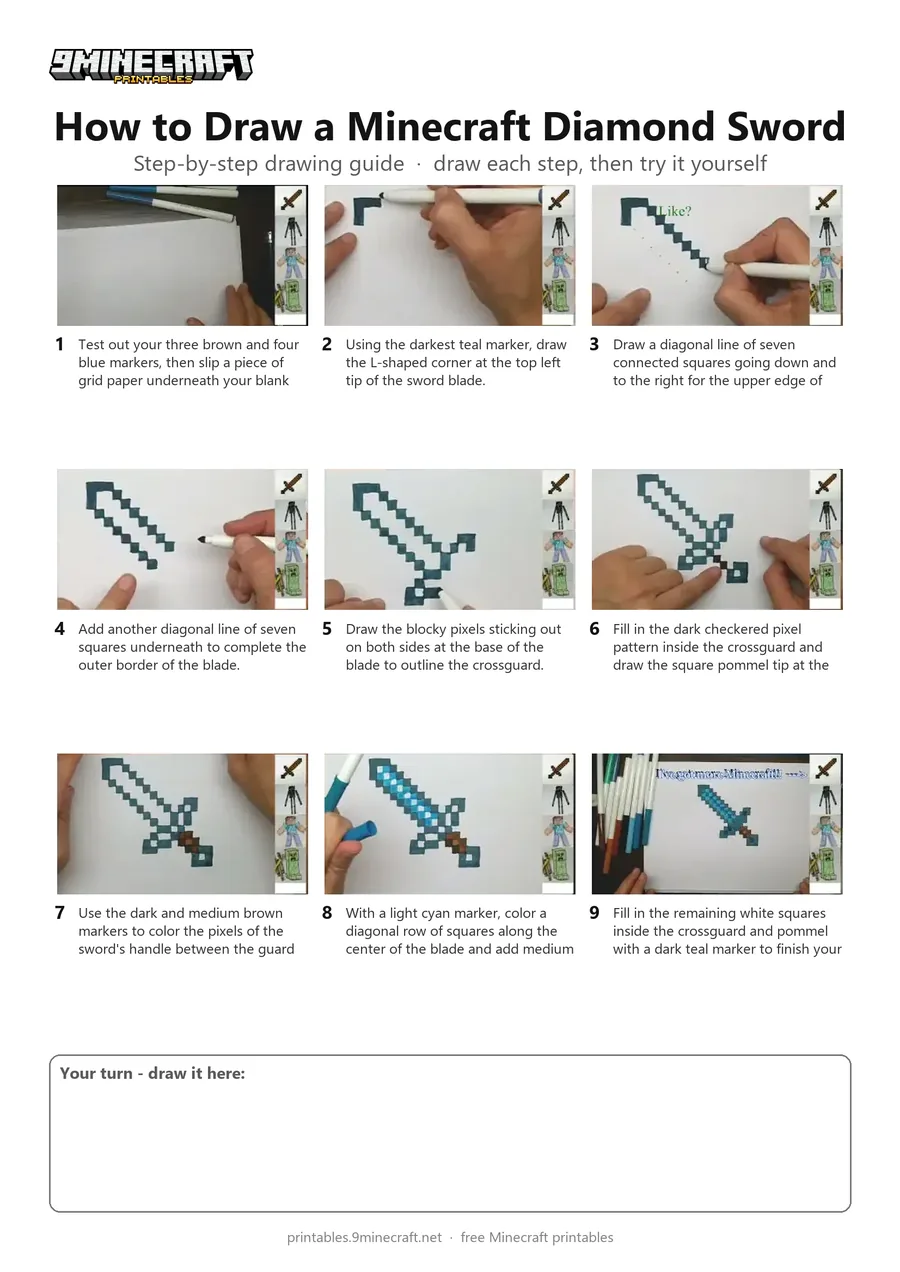
Learn how to draw a pixelated Minecraft Diamond Sword using blue and brown markers with a grid sheet placed underneath blank paper. This step-by-step tutorial shows how to map out each square pixel of the blade, guard, and handle for an authentic blocky look. Free printable PDF for A4 and US Letter paper.
Print at 100% scale (“Actual size”). Plain printer paper works fine; crayons, colored pencils or markers all work.
 Test out your three brown and four blue markers, then slip a piece of grid paper underneath your blank drawing sheet.
 Using the darkest teal marker, draw the L-shaped corner at the top left tip of the sword blade.
 Draw a diagonal line of seven connected squares going down and to the right for the upper edge of the blade.
 Add another diagonal line of seven squares underneath to complete the outer border of the blade.
 Draw the blocky pixels sticking out on both sides at the base of the blade to outline the crossguard.
 Fill in the dark checkered pixel pattern inside the crossguard and draw the square pommel tip at the bottom right.
 Use the dark and medium brown markers to color the pixels of the sword's handle between the guard and pommel.
 With a light cyan marker, color a diagonal row of squares along the center of the blade and add medium blue squares around it.
 Fill in the remaining white squares inside the crossguard and pommel with a dark teal marker to finish your Diamond Sword.
You need: markers, paper, grid paper.
Video by DoodleDrawArt with Lisa on YouTube.
 More How to Draw
 PDFHow to Draw a Minecraft Diamond Sword (Design 4)Pixel style · Ages 7-9
 PDFHow to Draw a Minecraft AxolotlPixel style · Ages 7-9
 PDFHow to Draw a Minecraft Bee (Design 3)Pixel style · Ages 7-9
 PDFHow to Draw Minecraft Chibi DanTDMCute / chibi · Ages 7-9
 PDFHow to Draw a Minecraft ChickenPixel style · Ages 7-9
 PDFHow to Draw Minecraft Diamond Armor StevePixel style · Ages 7-9
 PDFHow to Draw a Minecraft Diamond (Design 2)Pixel style · Ages 7-9
 PDFHow to Draw a Minecraft Diamond (Design 3)Pixel style · Ages 7-9
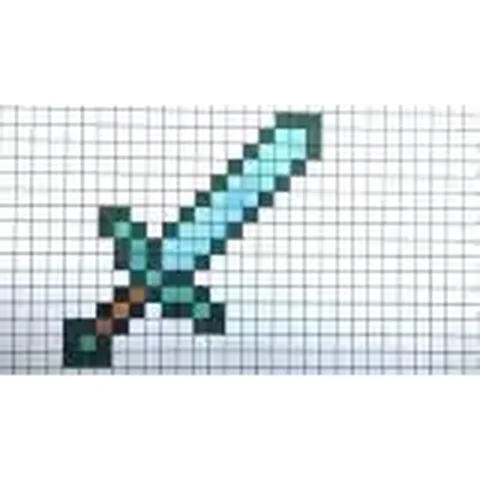 PDFHow to Draw a Minecraft Diamond SwordPixel style · Ages 7-9
 PDFHow to Draw a Minecraft Diamond Sword (Design 2)Pixel style · Ages 7-9
 PDFHow to Draw a Minecraft Diamond Sword (Design 3)Pixel style · Ages 7-9
 PDFHow to Draw a Minecraft Diamond Sword (Design 6)Pixel style · Ages 7-9