
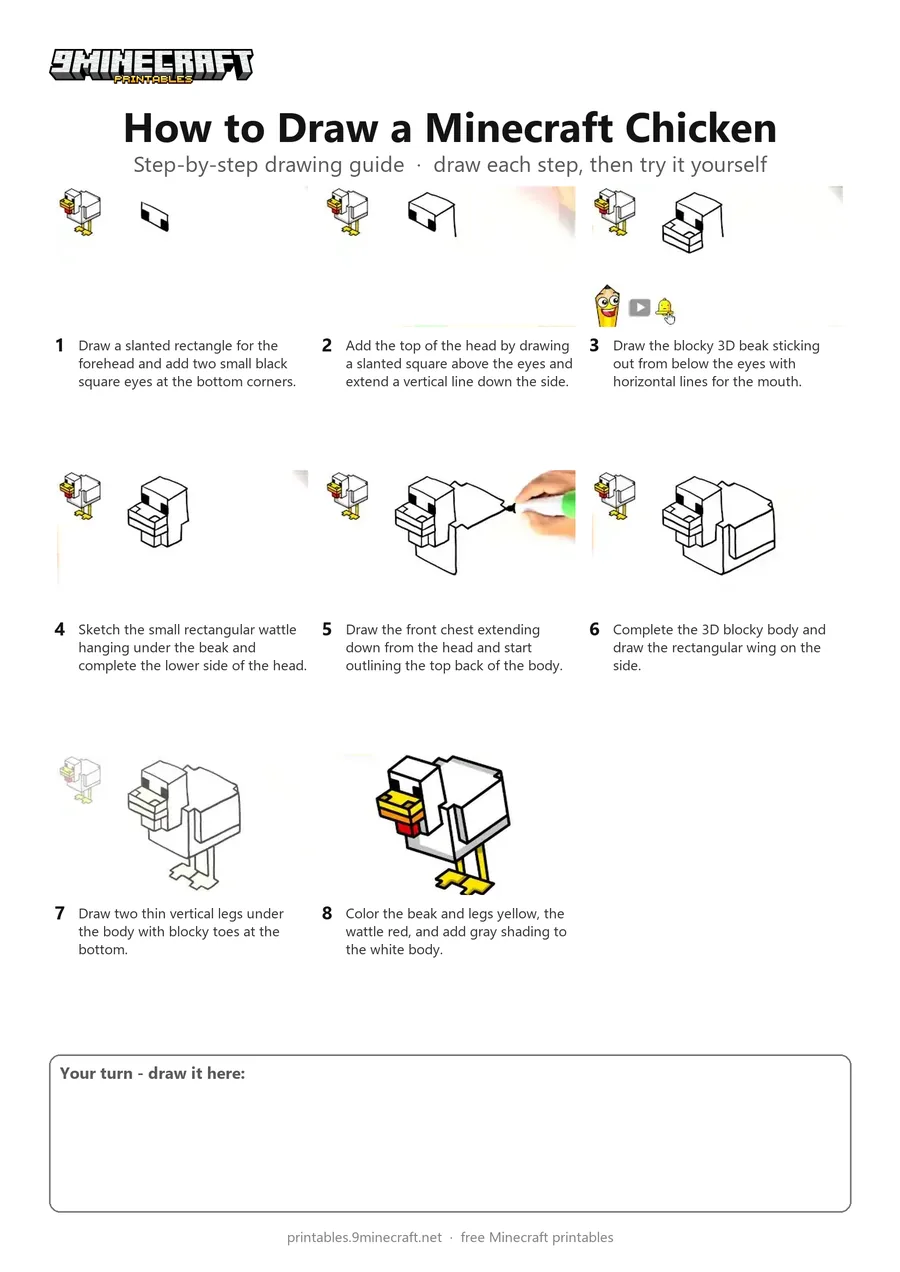
Learn how to draw a 3D blocky Minecraft chicken step by step using a black marker. This tutorial guides you through drawing the cubic head, beak, wattle, body, wings, and webbed feet before adding color. Free printable PDF for A4 and US Letter paper.
Print at 100% scale (“Actual size”). Plain printer paper works fine; crayons, colored pencils or markers all work.
 Draw a slanted rectangle for the forehead and add two small black square eyes at the bottom corners.
 Add the top of the head by drawing a slanted square above the eyes and extend a vertical line down the side.
 Draw the blocky 3D beak sticking out from below the eyes with horizontal lines for the mouth.
 Sketch the small rectangular wattle hanging under the beak and complete the lower side of the head.
 Draw the front chest extending down from the head and start outlining the top back of the body.
 Complete the 3D blocky body and draw the rectangular wing on the side.
 Draw two thin vertical legs under the body with blocky toes at the bottom.
 Color the beak and legs yellow, the wattle red, and add gray shading to the white body.
You need: marker, paper.
Video by HappyART on YouTube.
 More How to Draw
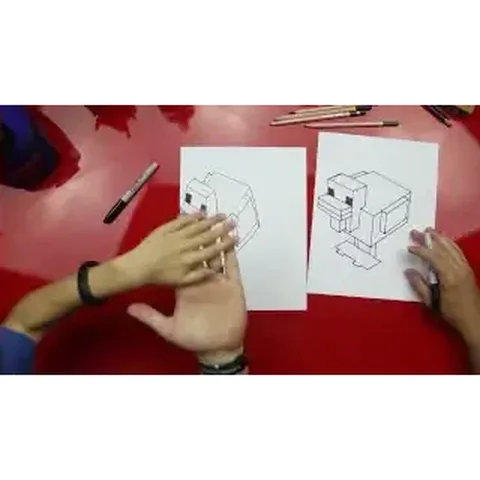 PDFHow to Draw a Minecraft ChickenPixel style · Ages 7-9
 PDFHow to Draw Alex from Minecraft (Design 6)Pixel style · Ages 7-9
 PDFHow to Draw a Minecraft AxolotlPixel style · Ages 7-9
 PDFHow to Draw a Minecraft Bee (Design 3)Pixel style · Ages 7-9
 PDFHow to Draw a Minecraft Bee (Design 4)Pixel style · Ages 7-9
 PDFHow to Draw a Minecraft Chicken (Design 2)Pixel style · Ages 7-9
 PDFHow to Draw Minecraft a Chicken JockeyCartoon · Ages 7-9
 PDFHow to Draw a Minecraft Chicken JockeyCute / chibi · Ages 7-9
 PDFHow to Draw Minecraft a Chicken Jockey (Design 3)Cute / chibi · Ages 7-9
 PDFHow to Draw Minecraft Diamond Armor StevePixel style · Ages 7-9
 PDFHow to Draw a Minecraft Diamond (Design 2)Pixel style · Ages 7-9
 PDFHow to Draw a Minecraft Diamond (Design 3)Pixel style · Ages 7-9