
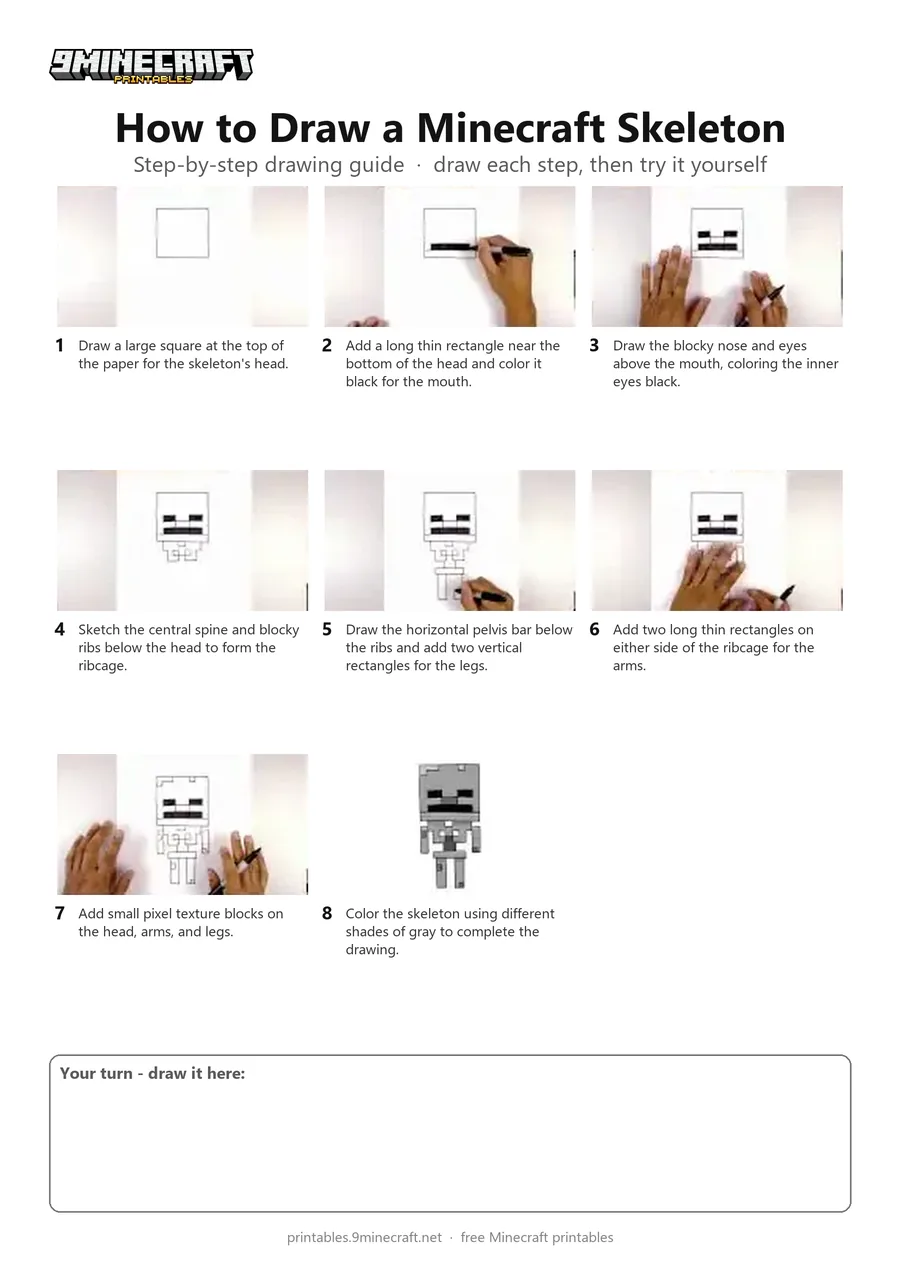
Learn how to draw a cute blocky Minecraft Skeleton step-by-step using a black marker. The drawing features the classic square head, pixel ribcage, and simple limbs finished with gray shading. Free printable PDF for A4 and US Letter paper.
Print at 100% scale (“Actual size”). Plain printer paper works fine; crayons, colored pencils or markers all work.
 Draw a large square at the top of the paper for the skeleton's head.
 Add a long thin rectangle near the bottom of the head and color it black for the mouth.
 Draw the blocky nose and eyes above the mouth, coloring the inner eyes black.
 Sketch the central spine and blocky ribs below the head to form the ribcage.
 Draw the horizontal pelvis bar below the ribs and add two vertical rectangles for the legs.
 Add two long thin rectangles on either side of the ribcage for the arms.
 Add small pixel texture blocks on the head, arms, and legs.
 Color the skeleton using different shades of gray to complete the drawing.
You need: paper, black marker, gray markers.
Video by Cartooning Club How to Draw on YouTube.
 More How to Draw
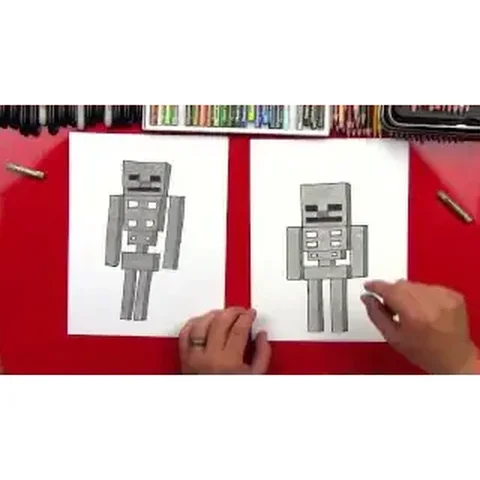 PDFHow to Draw a Minecraft SkeletonPixel style · Ages 7-9
 PDFHow to Draw a Minecraft Skeleton (Design 2)Pixel style · Ages 7-9
 PDFHow to Draw Minecraft an AllayPixel style · Ages 7-9
 PDFHow to Draw a Minecraft BeePixel style · Ages 7-9
 PDFHow to Draw a Minecraft CatPixel style · Ages 7-9
 PDFHow to Draw a Minecraft CowPixel style · Ages 7-9
 PDFHow to Draw a Minecraft Creeper FacePixel style · Ages 7-9
 PDFHow to Draw a Minecraft Creeper (Design 6)Pixel style · Ages 7-9
 PDFHow to Draw a Minecraft DiamondPixel style · Ages 7-9
 PDFHow to Draw a Minecraft Diamond PickaxePixel style · Ages 7-9
 PDFHow to Draw a Minecraft Diamond SwordPixel style · Ages 7-9
 PDFHow to Draw a Minecraft Diamond Sword (Design 2)Pixel style · Ages 7-9