
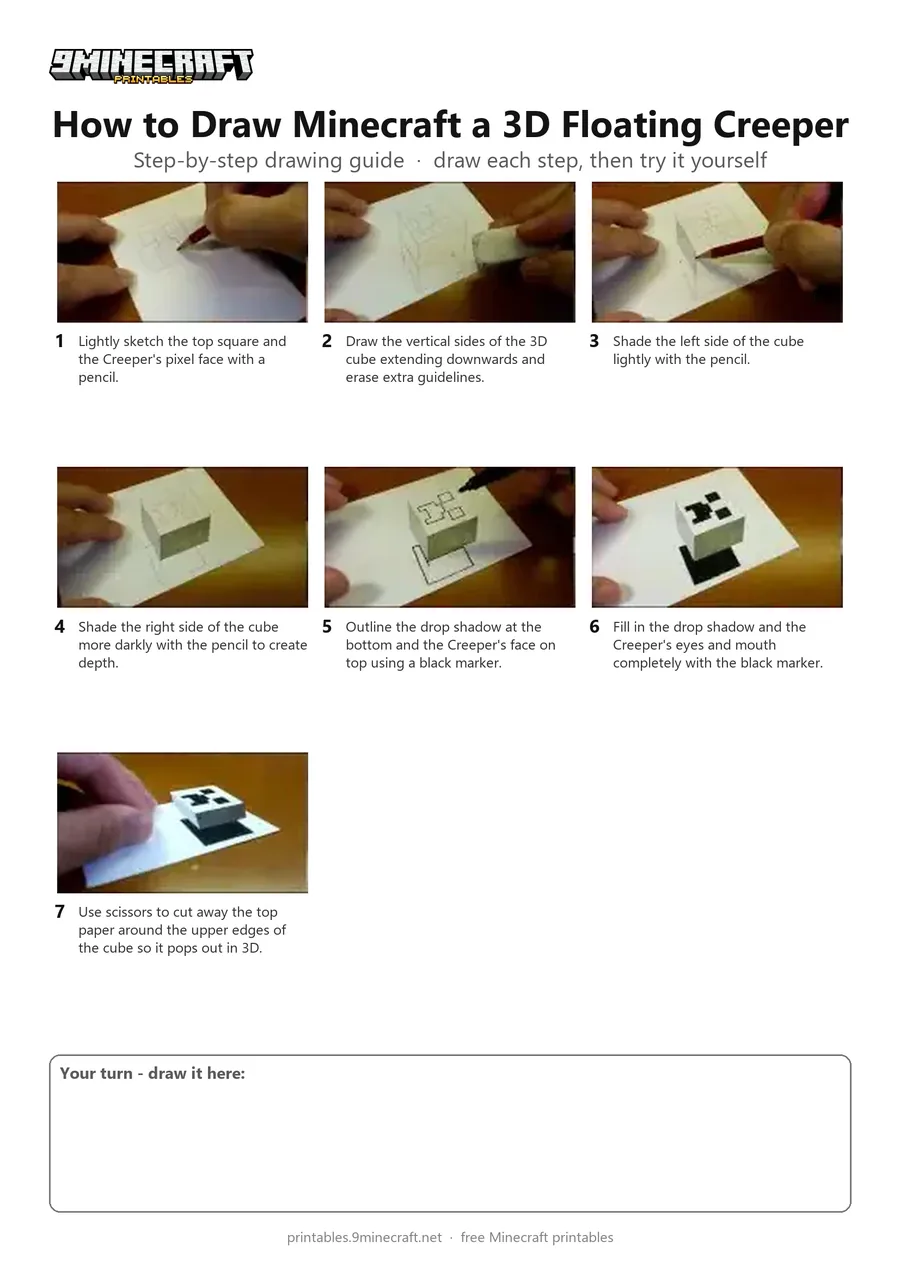
This tutorial shows how to draw a 3D optical illusion of a floating Minecraft Creeper head on a piece of paper. Using pencil shading, black marker for the drop shadow, and trimming the top edge with scissors, the cube appears to hover above the page. Free printable PDF for A4 and US Letter paper.
Print at 100% scale (“Actual size”). Plain printer paper works fine; crayons, colored pencils or markers all work.
 Lightly sketch the top square and the Creeper's pixel face with a pencil.
 Draw the vertical sides of the 3D cube extending downwards and erase extra guidelines.
 Shade the left side of the cube lightly with the pencil.
 Shade the right side of the cube more darkly with the pencil to create depth.
 Outline the drop shadow at the bottom and the Creeper's face on top using a black marker.
 Fill in the drop shadow and the Creeper's eyes and mouth completely with the black marker.
 Use scissors to cut away the top paper around the upper edges of the cube so it pops out in 3D.
You need: paper, pencil, eraser, black marker, scissors.
Video by PIN KORO on YouTube.
 More How to Draw
 PDFHow to Draw a 3D Minecraft ZombieDetailed · Ages 10+
 PDFHow to Draw a Minecraft WolfDetailed · Ages 10+
 PDFHow to Draw 3D Alex from MinecraftDetailed · Ages 10+
 PDFHow to Draw a Minecraft CreeperCartoon · Ages 7-9
 PDFHow to Draw Minecraft an Ender DragonDetailed · Ages 10+
 PDFHow to Draw Minecraft an Enderman (Design 3)Detailed · Ages 7-9
 PDFHow to Draw Minecraft an Exploding Creeper Folding SurpriseCartoon · Ages 7-9
 PDFHow to Draw Minecraft the Ender DragonDetailed · Ages 10+
 PDFHow to Draw a Minecraft Chest Folding SurpriseCartoon · Ages 7-9
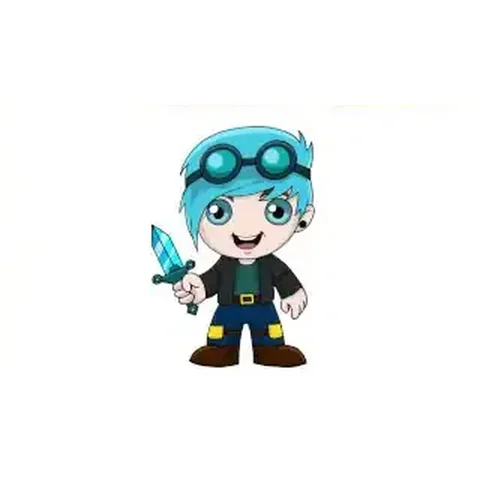 PDFHow to Draw Minecraft Chibi DanTDMCute / chibi · Ages 7-9
 PDFHow to Draw Minecraft a Chicken JockeyCartoon · Ages 7-9
 PDFHow to Draw Minecraft a Christmas CreeperCute / chibi · Ages 7-9